Hostinger Horizons Vibe Coding Tools & Resources

A Snapshot: Hostinger Horizons & Vibe Coding Tools
- Vibe coding is a new way to build real, functional web apps using plain English prompts — you don’t need to have a coding background to get started.
- Hostinger Horizons is the top-rated vibe coding tool for visual web development, combining AI-powered building with built-in hosting and one-click publishing.
- Vibe coding tools have been shown to reduce development timelines by as much as 45% — this means working prototypes in hours, not weeks.
- You can manually edit the underlying code inside Horizons — this makes it powerful for both complete beginners and experienced developers who want to speed up their work.
- Keep reading to see how the 10 best vibe coding tools compare, and which one is the best fit for your project and skill level.
The biggest obstacle to building software has just been removed — and if you’ve been thinking about an app idea, now is the time to make it happen.
The Hostinger Horizons platform is at the forefront of a significant transformation in software creation. Now, instead of spending months learning a programming language or waiting for a developer, you can describe what you want in simple terms and see the AI construct it in real time. This is the essence of vibe coding, and it’s revolutionizing who can create on the web.
Create Genuine Web Applications Without Typing a Single Line of Code
In the past, to create a web application you either needed to learn how to code or hire someone who already knew how. These choices were costly in terms of time, money, and learning. Vibe coding changes all of that — your concepts become the commands, and the AI takes care of everything else.
Understanding Vibe Coding
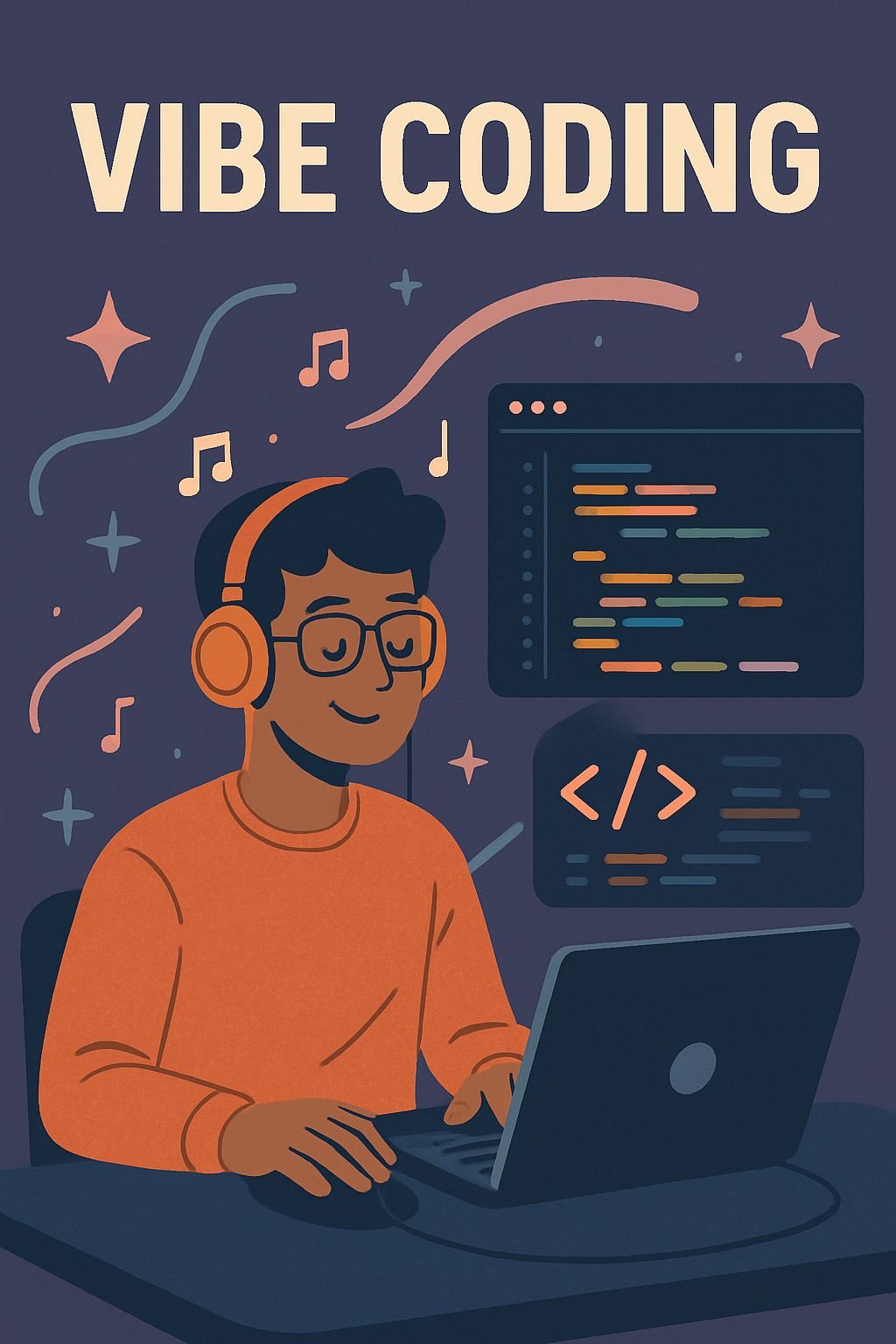
Vibe coding is a method of AI-assisted development in which you explain what you want to create in everyday language, and the tool produces working code for you. Instead of learning syntax or debugging logic, you’re guiding a build through dialogue. The name encapsulates the essence of it: you establish the vibe, and the AI carries it out.
It’s not just about low-code or drag-and-drop. Real, functioning code is written in the background. The only difference is that you don’t have to read it, touch it, or understand it — unless you want to.
Why Hostinger Horizons Is Perfect for Today’s Times
Hostinger Horizons was specifically designed for the vibe coding age. It merges a chatbot AI interface with a complete web development environment, hosting infrastructure, and deployment tools, all under one roof. You don’t need to patch together five different services to get something off the ground; Horizons takes care of the entire process from concept to live URL.
Unlike typical AI tools, this one is specifically designed for web products. Each feature, from the chat interface to the code editor to the one-click publish button, is designed to get your app from concept to live as quickly as possible. That’s important when you’re trying to validate an idea or deliver for a client.
Who Benefits Most from Vibe Coding Tools
Vibe coding tools are perfect for entrepreneurs who want to test a product idea before committing to a full build. They’re also great for freelancers who want to deliver web tools for clients without having to subcontract development work. Educators, content creators, and small business owners who are building internal tools can also benefit from vibe coding tools. Basically, anyone who knows what they need but doesn’t have the technical background to build it themselves will find these tools useful.
Horizons isn’t just for beginners. Even experienced developers can use it to build a prototype in a few hours instead of a few days, giving them more time to work on the complex logic that really needs their attention. It’s not about replacing skill, it’s about getting rid of the repetitive groundwork.
Understanding Hostinger Horizons
Hostinger Horizons is simpler than you think. You open a project, describe what you want to create, and the AI creates a working version of it. Then you refine it by asking for changes, tweaks, and additions as if you were instructing a developer in a meeting.
Horizons is a platform that is more than just a website builder. It creates actual front-end and back-end code, and it supports the creation of web applications that include databases, user authentication, forms, dynamic content, and interactive user interfaces. It’s not just for building static pages.
The work process is quick and continuous. You can prompt, preview, adjust, and iterate, all within the same interface. There’s no need to switch between your editor, a browser tab, a hosting panel, and a deployment console. Everything is in one workspace designed to keep you moving forward.
- Summarize your app using simple language — its features, layout, purpose, and tone
- Check out the live preview that Horizons creates from your prompt
- Perfect your app through follow-up prompts — alter colors, incorporate features, reorganize pages
- Manually adjust the code if you want to have direct control over certain elements
- Launch with a single click directly to a live URL with hosting already set up
Understanding the Chat-Based Build Interface
The chat interface is where every Horizons project gets started. You write a description of what you’re looking for — as specific or as general as you want — and the AI responds by building your app. Follow-up messages serve as instructions for revisions. Do you want a darker color scheme? Just say it. Do you need to add a login page? Just request it. The entire build is carried out through conversation. For those looking to optimize their project’s performance, consider exploring performance optimization tips to ensure your app runs smoothly.
Upload Visual References and Use Voice Commands
Horizons also supports visual references, so you can upload a screenshot or mockup of an interface you admire and use it as a starting point for your build. This is especially useful when you have a clear visual direction but struggle to describe it in words. The AI interprets the visual and translates it into a working layout. For more information, explore the no-code platform features.
Instantaneous Preview and Real-Time Modifications
Every modification you make is instantly updated in a live preview. There’s no need to wait for a build to compile or refresh a page manually – the output is updated as the AI works. This quick feedback loop is what makes vibe coding feel speedy. You can see and respond to results in real time, keeping the creative momentum going throughout the build.
Integrated Hosting, Domains, and Instant Publishing
When your app is complete, Horizons allows you to publish it straight to the web without ever leaving the platform. Hosting is integrated, custom domains are allowed, and there’s no need for a separate server setup. For those who have struggled with FTP clients, DNS records, and hosting panels in the past, this is a significant improvement in ease of use that eliminates one of the most aggravating aspects of launching something online.
What You Can Create With Hostinger Horizons
Horizons isn’t just for basic landing pages. The platform can handle a variety of web products — from customer-facing tools and internal dashboards to complete micro-SaaS applications with user accounts and data management. The only real limitation is how complex you want to make your build.
Micro-SaaS Projects and Customer-Facing Tools
Micro-SaaS, which are small, focused software products that solve a single specific problem, is one of the most compelling use cases for Horizons. Examples include invoice generators, appointment schedulers, lead capture portals, and niche calculators. Traditionally, these are products that would require a developer, a designer, and a hosting setup to launch.
Horizons is a game changer for independent creators and consultants who want to build and monetize software without a technical team. With Horizons, an individual with a clear idea can go from concept to live product in a day.
Personal Productivity Tools
Horizons is a perfect fit for personal tools such as habit trackers, reading logs, project dashboards, and custom note systems. Although these are apps you would love to have, you would never justify having a developer create them for you. However, with Vibe coding, the cost is measured in hours, not thousands of dollars, making them worth building.
Horizons supports real databases and user logic, which means these tools can store data, track progress over time, and behave like actual software rather than glorified spreadsheets. This is what separates a tool you actually use from one you abandon after a week.
Platforms and Websites for Small Businesses
Service businesses such as consultants, photographers, coaches, and local retailers often need more than just a basic website, but they can’t afford a custom development budget. This is where Horizons comes in. With Horizons, you can create a booking system, a portfolio with a contact workflow, a product showcase with inquiry forms, or a membership portal without having to write a single line of code or hire an agency.
The Top 10 Vibe Coding Tools on the Market Today
Vibe coding tools are not all created equal. Some are designed for visual builders who want to avoid technical issues. Others provide developers with a quicker method to write and deliver code with the added benefit of AI assistance. The ten tools listed below are the best currently available — each one stands out in a particular area.
The tool you choose depends on what you’re creating, how much control you want over the code, and whether you want hosting included or you’d rather handle deployment separately. Here’s the breakdown of each one.
1. Hostinger Horizons: Excellent for Visual Web Development
Hostinger Horizons is the most comprehensive vibe coding platform for anyone constructing web apps and websites from the ground up. Its chat-based interface, real-time preview, built-in hosting, and manual code editor make it the most powerful all-in-one choice on this list. You can go from an empty prompt to a published URL without ever leaving the platform — and that seamless pipeline is genuinely unique among vibe coding tools today. Social media commentary from creator @web3wikis dubbed it “the most effective vibe code tool for building million dollar apps,” and based on the feature set, it’s difficult to disagree.
2. Replit: Ideal for Team Coding Projects
Replit is an IDE that you can access through your web browser, and it has brought AI to the table with its Replit Agent feature. It supports a wide range of programming languages and allows multiple users to work on the same project simultaneously, just like Google Docs, but for coding.
Replit stands out in team-based development and educational environments. If you’re learning with others or building something that requires multiple contributors in the same codebase, Replit’s collaboration infrastructure is top-notch. It’s less about no-code building and more about making real coding quicker and easier to access.
3. Lovable: Ideal for Fast React App Development
Lovable is specifically designed to create React applications using AI prompts. You describe a UI or feature, and it generates clean, component-based React code that’s ready to be developed further. For developers who are already familiar with React and want to bypass the boilerplate, Lovable significantly speeds up the front-end build process.
4. Cursor: Top Choice for AI-Enhanced Code Editing
Cursor is a code editor that is developed on top of VS Code and has a deep AI integration directly built into the editing experience. It can read your whole codebase, comprehend context across files, and suggest completions, refactors, and bug fixes that are aware of how everything is connected.
Cursor is a tool designed for developers who prefer to write their own code but would like AI assistance that goes beyond basic autocomplete. It is ideal for situations where precision and context-awareness are more important than full automation, unlike tools that generate full apps from prompts.
5. Bolt: Top Pick for Full-Stack Prototyping
Bolt, a product of StackBlitz, can create full-stack web applications from natural language prompts right in your browser. It can manage both front-end and back-end code, is compatible with frameworks such as React and Next.js, and operates completely within a WebContainer environment — which means you don’t need any local setup. For developers who need to prototype intricate applications swiftly without setting up a development environment, Bolt eliminates a great deal of hassle.
6. v0 by Vercel: Top Pick for UI Component Creation
Vercel’s v0 is an AI tool that creates UI components using shadcn/ui and Tailwind CSS. You simply describe a component — such as a pricing table, a nav bar, or a modal — and v0 generates neat, ready-to-copy-and-paste code that can be directly inserted into a Next.js or React project.
It may not be as broad as Horizons or Bolt, but it excels in its own field. Developers who often find themselves designing UI from the ground up will appreciate how much v0 reduces their workload. It is especially beneficial for teams already operating within the Vercel and Next.js ecosystem.
7. Softr: The Top Choice for Database-Driven Apps
Softr can link directly to Airtable and Google Sheets, converting your current data into functional web apps that include user portals, directories, marketplaces, and dashboards. If your project involves a lot of data and that data is already stored in a spreadsheet or database, Softr is the quickest way to a usable front end.
The disadvantage is adaptability — Softr is most effective when your project fits its template-driven framework. It’s more difficult to create custom logic and unique layouts here than in a more open tool like Horizons or Bolt. But for standard data app scenarios, it outperforms nearly everything else.
8. GitHub Copilot: Top Pick for Code Completion
GitHub Copilot is a direct integration into editors like VS Code, JetBrains IDEs, and Neovim, providing AI-powered code suggestions as you type. It’s trained on a huge amount of public code and can complete entire functions, suggest variable names, generate test cases, and explain existing code inline. For developers who spend their time inside their editor and want AI assistance without having to switch contexts, Copilot is the most seamlessly integrated option on the market.
9. Claude Code: Ideal for Terminal-Based App Development
Anthropic’s Claude Code is an autonomous coding tool that operates directly on your local codebase in the terminal. It can read files, write code, execute commands, and perform multi-step development tasks on its own — making it one of the most powerful tools for complex, long-horizon coding projects.
Although it demands more technical familiarity than a visual tool like Horizons, the benefit is considerable for developers working on larger projects. Claude Code’s capacity to comprehend and alter an entire codebase in context makes it uniquely strong for refactoring, debugging, and implementing features across multiple files at the same time.
10. Tabnine: Ideal for Application Development Through Coding
Tabnine is an AI code completion tool that places a high value on privacy and security — a significant distinction for enterprise teams and developers who work with sensitive codebases. It can be run on your local machine without sending code to external servers, and it is compatible with most major IDEs. Its suggestions are trained on permissively licensed code, which also addresses intellectual property concerns that some teams have with other AI tools.
Choosing the Best Vibe Coding Tool
| Tool | Best For | Hosting Included | No-Code Friendly | Manual Code Access |
|---|---|---|---|---|
| Hostinger Horizons | Visual web development | ✓ Yes | ✓ Yes | ✓ Yes |
| Replit | Collaborative coding | ✓ Yes | ✗ No | ✓ Yes |
| Lovable | React app development | ✗ No | △ Partial | ✓ Yes |
| Cursor | AI-enhanced code editing | ✗ No | ✗ No | ✓ Yes |
| Bolt | Full-stack prototyping | ✗ No | △ Partial | ✓ Yes |
| v0 by Vercel | UI component generation | ✗ No | △ Partial | ✓ Yes |
| Softr | Database-driven apps | ✓ Yes | ✓ Yes | ✗ No |
| GitHub Copilot | Code completion | ✗ No | ✗ No | ✓ Yes |
| Claude Code | Terminal-based building | ✗ No | ✗ No | ✓ Yes |
| Tabnine | Privacy-focused completion | ✗ No | ✗ No | ✓ Yes |
The above table makes it clear that if you are looking for a tool that can take you from the initial idea to a live app without requiring any technical knowledge or external services, Hostinger Horizons is the only option on this list that ticks all the boxes. All the other tools either require coding knowledge, a separate hosting setup, or both.
However, the best tool is always the one that matches your specific workflow. A developer who writes React code on a daily basis will get more value from Cursor or GitHub Copilot than from a visual builder. Someone who is prototyping a data-heavy internal tool might find that Softr is faster than building from scratch in Horizons. The key is to match the strengths of the tool to your actual use case, rather than defaulting to whatever is the most popular.
Don’t forget to think about your budget. Most of these tools have free versions with significant restrictions, and the costs of paid plans can vary a lot. Horizons, Replit, and Softr include hosting in their pricing, which makes budgeting easier. Tools like Cursor and GitHub Copilot are priced per user as editor plugins, and the cost of hosting is completely separate from the subscription.
Convenience Versus Comprehensive Control
It’s a delicate balance between the simplicity of a tool and the level of control it provides over the end product. Visual, code-free tools like Horizons and Softr offer a quick start and don’t require any technical knowledge, but they operate within the limits of what the AI can produce and what the platform allows. Tools geared toward developers, such as Cursor and Claude Code, provide total control — but they presume you already know how to use that control efficiently. For those interested in different platform capabilities, here’s a comparison guide on Systeme.io vs Go High Level.
Many beginners starting to learn vibe coding often start with a high-level tool like Horizons. It allows you to deliver faster, encounter fewer problems, and build confidence along the way. As your projects become more complex, integrating tools like Cursor for code-level editing or GitHub Copilot for in-editor support becomes a natural next step. With Horizons’ integrated code editor, you can start this transition without having to leave the platform. For those interested in enhancing their online presence, exploring performance optimization tips can be beneficial.
Hosting and Deployment: Built-In or Extra
Many vibe coding tools are designed to help you build, but what you do after you’ve built something is entirely up to you. This often means you’ll need to set up a hosting account, configure a server, manage DNS records, and handle deployments manually. For non-technical users, this post-build process can be as daunting as the build process itself. Hostinger Horizons and Softr are exceptions to this rule, as they include hosting directly in the platform. This means you can publish your project with a single click, rather than having to manage it separately.
Top Tools for Novice and Seasoned Developers
If you’re just getting started with building web apps and have no programming experience, your list of top choices should begin and end with Hostinger Horizons. It takes care of the entire stack — build, host, deploy — through a conversational interface that doesn’t require any prior knowledge. Softr is a good option if your project is based on existing spreadsheet data, but Horizons provides much more flexibility for original builds.
For those who have a little bit of coding experience and want to accelerate their progress, Bolt and Lovable are both excellent choices. They both generate actual, editable code from prompts and are compatible with popular frameworks like React and Next.js. Although they require you to manage your own deployment, they greatly increase build speed for developers who are already familiar with basic front-end concepts.
Cursor, GitHub Copilot, and Claude Code are excellent tools for seasoned developers who want to enhance their current workflow, not replace it. These tools are designed to make you much more efficient, assuming you know what you’re doing. Claude Code is especially useful for complex, multi-file projects where context-aware support across the entire codebase can significantly improve the quality and speed of the output. For those interested in optimizing their development environment further, exploring the best SEO plugins for WordPress can be a valuable addition to your toolkit.
How to Begin Your Initial Project on Hostinger Horizons
It takes less than five minutes to get started on Horizons. You sign up, open a new project, and begin typing. There’s no setup, no template to adjust, and no blank canvas paralysis — the AI creates something tangible from your first prompt, giving you something substantial to respond to and perfect right away. Learn more about its capabilities on the no-code platform.
How to Write an Effective Prompt
The first prompt you write sets the tone for the rest of your project. If your prompt is unclear, you’ll get unclear results. The more specific you can be about what your app does, who it’s for, and what it should look like, the more likely the first output will match your vision. You don’t need to use technical jargon — you just need to be clear about the problem you’re trying to solve and the kind of experience you want to create.
Consider your prompt as a short brief you would provide to a designer or developer. It should cover the purpose of the app, the key features it requires, the type of user it is for, and any visual preferences you might have. You can always refine it later, but a good initial prompt will reduce the number of iteration cycles required to get to a result you are satisfied with.
These are the essential components of a solid Horizons prompt:
Sample Prompt Structure:
“Design a [type of app] for [target user] that enables them to [primary action]. It needs to incorporate [key feature 1], [key feature 2], and [key feature 3]. The design should have a [visual tone — e.g., clean and minimal, bold and colorful] vibe. Apply a [color scheme or style reference] aesthetic.”
Human Translation: “Design an invoice generator for freelancers and independent consultants that allows them to create, save, and download invoices as PDFs. The generator should include fields for the client’s name, itemized line items, tax calculations, and a total summary. The design should be clean and professional, using a dark navy and white color scheme.”
Polishing and Improving Your App in Real Time
Once the AI produces your initial version, you can start the polishing process. This is where vibe coding truly shines — you respond to what you observe, explain what needs to be altered, and the AI modifies it instantly. Consider the first output as a rough draft, not a completed work. Most successful Horizons builds require multiple rounds of specific tweaks before they are ready to be published.
Launching Your App Online
Once you’re prepared to launch, Horizons takes care of the deployment for you. All you have to do is click the publish button and your app will be live with its own URL in a matter of seconds — including hosting, SSL certificate, and everything else. There’s no need for server configuration, FTP upload, or DNS troubleshooting. Your app is just live and can be accessed from anywhere on the planet.
With custom domain support, you don’t have to settle for a generic subdomain. You can link your own domain directly from the Horizons interface, giving your app the appearance of a fully professional product from the very beginning. This is important whether you’re presenting it to potential clients, early users, or investors. For those looking to enhance their online presence, exploring the best web hosting providers can be a crucial step in ensuring reliability and performance.
Vibe Coding Reduces Development Time by 45%
The statistics supporting vibe coding adoption are persuasive. As per the remarks of developer and inventor @markdiantonio, vibe coding tools shorten development schedules by about 45%. Platforms such as Hostinger Horizons convert natural language into functional prototypes in hours, not weeks. As he pointed out, the hurdle to creating software is “significantly lower” than it has ever been.
This compression doesn’t just benefit individual builders. It also changes the economics of software development for small teams and freelancers. Projects that once needed a budget for a developer, a designer, and a QA cycle can now be done by one person with a clear vision and the right tool. For aspiring developers and independent creators, this isn’t a small improvement. It’s a fundamental change in what can be achieved without a technical background or a big budget.
Common Questions
These are the questions most people have when they first start looking into vibe coding tools and Hostinger Horizons.
What is Vibe Coding and How Does It Differ From Conventional Coding?
Vibe coding is a method of creating software that involves using natural language instructions instead of manually writing code. Conventional coding necessitates learning programming languages, comprehending syntax, and writing each line of logic yourself. Vibe coding employs AI to generate code based on your descriptions – you specify what you want to create, and the AI generates functional code to match. The primary distinction is that the entry barrier is significantly reduced: you require a clear concept, not a computer science degree. For those interested in optimizing their websites, understanding performance optimization tips can be beneficial alongside vibe coding techniques.
Is Coding Experience Necessary to Use Hostinger Horizons?
There is no need for coding experience to use Hostinger Horizons. The entire construction process is run through a conversational interface where you describe what you want in simple English, and the AI creates it. Absolute beginners can go from nothing to a published web app without ever having to read a line of code. However, users who have coding knowledge can also access and edit the underlying code directly within the platform if they want more control over the output. For those interested in enhancing their skills, exploring creating AI-powered chatbots can be a great way to expand their coding capabilities.
Is Manual Code Editing Possible Within Hostinger Horizons?
Yes — Hostinger Horizons is equipped with an integrated code editor that allows you to directly manipulate the code generated by the AI. This is a feature that distinguishes Horizons from other simpler no-code builders, which usually don’t allow you to access the underlying code at all. If the AI creates something that is almost, but not quite correct at the code level, you can open the editor and make the necessary adjustments.
Horizons is not just for experienced developers but also for beginners. Instead of treating manual code access as a feature only for advanced users, Horizons incorporates it into the standard workflow. This means the tool can grow with you as your skills improve. You can start by guiding everything through prompts and slowly take on more direct code control as you become more comfortable. If you’re looking to expand your toolkit further, consider exploring AI-powered chatbots for your WordPress blog.
For those who are trying to learn how to code using Horizons, this is a great advantage. Watching what the AI generates in response to your prompts and then exploring that code in the editor is one of the quickest ways to learn how real web applications are structured without the pressure of having to build everything from scratch yourself. To further enhance your learning experience, consider exploring some of the best web hosting providers to understand how hosting impacts web application performance.
Can I Use Hostinger Horizons to Sell Apps or SaaS Products?
Yes, Hostinger Horizons is a great platform for developing and launching micro-SaaS products and client-facing tools. It supports user authentication, database functionality, and dynamic content, which are the key elements required to run a software product with real users. The platform also supports custom domains and includes hosting, so it provides everything you need to launch a product and present it in a professional manner. Whether you’re charging customers, offering a free tool to generate leads, or building a client deliverable, Horizons provides the infrastructure you need without requiring a separate development stack.
How Does Hostinger Horizons Stack Up Against Replit and Bolt?
While Hostinger Horizons, Replit, and Bolt all cater to AI-driven development, they target different user types. Horizons offers the most comprehensive solution for non-technical builders. It merges the build environment, hosting, and deployment into a single platform with a genuine no-code interface. This means you can launch a professional, live product without needing to understand the tech stack.
Replit is more powerful for collaborative environments and educational settings. Its real-time multi-user coding capabilities make it ideal for teams and learners working together, but it requires more coding knowledge to use effectively. It’s less of a vibe coding tool for beginners and more of an accessible IDE with AI features layered in.
Bolt is a robust full-stack prototyping solution that is particularly effective for developers familiar with React and modern JavaScript frameworks. It produces real, deployable code quickly, but deployment, hosting, and domain management are all handled outside of the platform. This extra overhead is manageable for developers but can be a hurdle for non-technical builders.
Here’s the bottom line: if you’re looking for the quickest route from concept to live product without any technical expertise, Horizons is the way to go. If you’re a developer who wants to prototype full-stack with AI acceleration and complete control over your code, Bolt or Replit might be a better fit for your workflow. For most budding developers and independent creators, Horizons provides the most comprehensive starting point with the least amount of setup required to get your product up and running.
Are you prepared to create your first web application without any technical difficulties? Hostinger Horizons provides everything that budding developers and non-technical builders require to transform their ideas into live products — all in one location. If you’re interested in further enhancing your online projects, check out these performance optimization tips for WordPress to ensure your application runs smoothly.